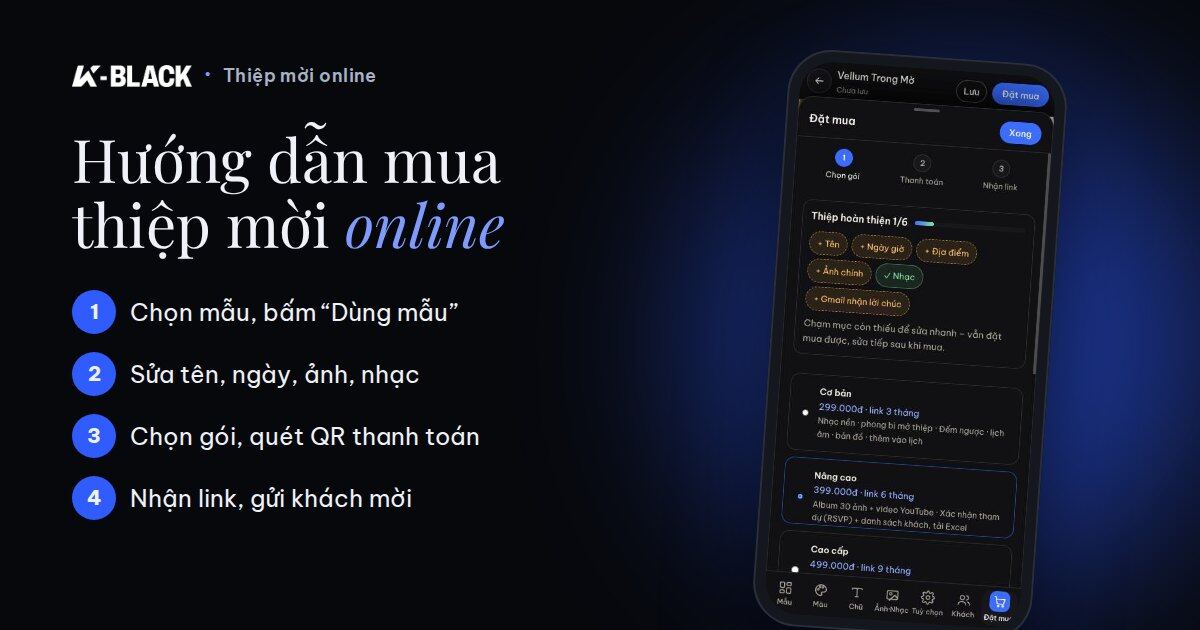
Buying an online invitation at K-BLACK takes only about 10 minutes: choose a template, edit names and photos right on your phone, scan the QR code to pay, then get a link to send your guests via Zalo. Below is each step with real screenshots to follow along.
You can edit your invitation for free before buying, and keep editing after purchase. Guests who reopen the link always see the latest version.
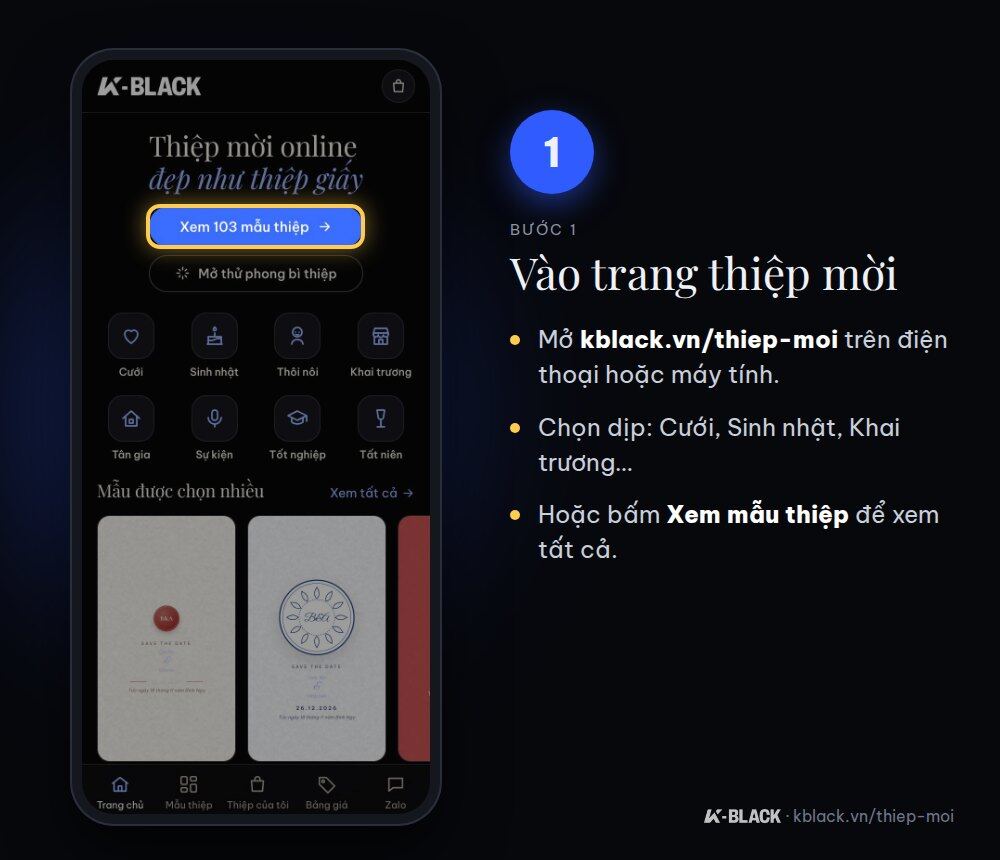
Step 1: Go to the invitations page
Open kblack.vn/thiep-moi, choose your occasion (Wedding, Birthday, First Birthday, Grand Opening, Housewarming, Event, Graduation, Year-End Party) or tap View templates.
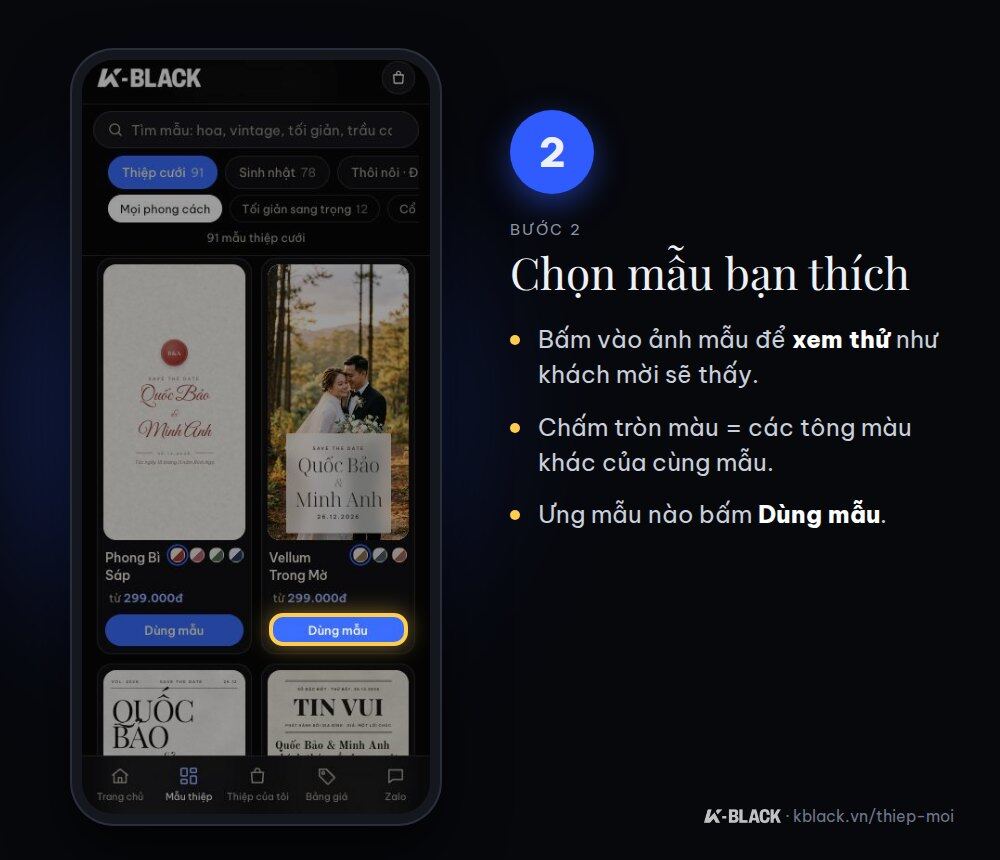
Step 2: Choose a template you love
Tap a template image to preview it exactly as your guests will see it. The colored dots under each template are alternative color schemes of the same design. When you find the one you like, tap Use template.
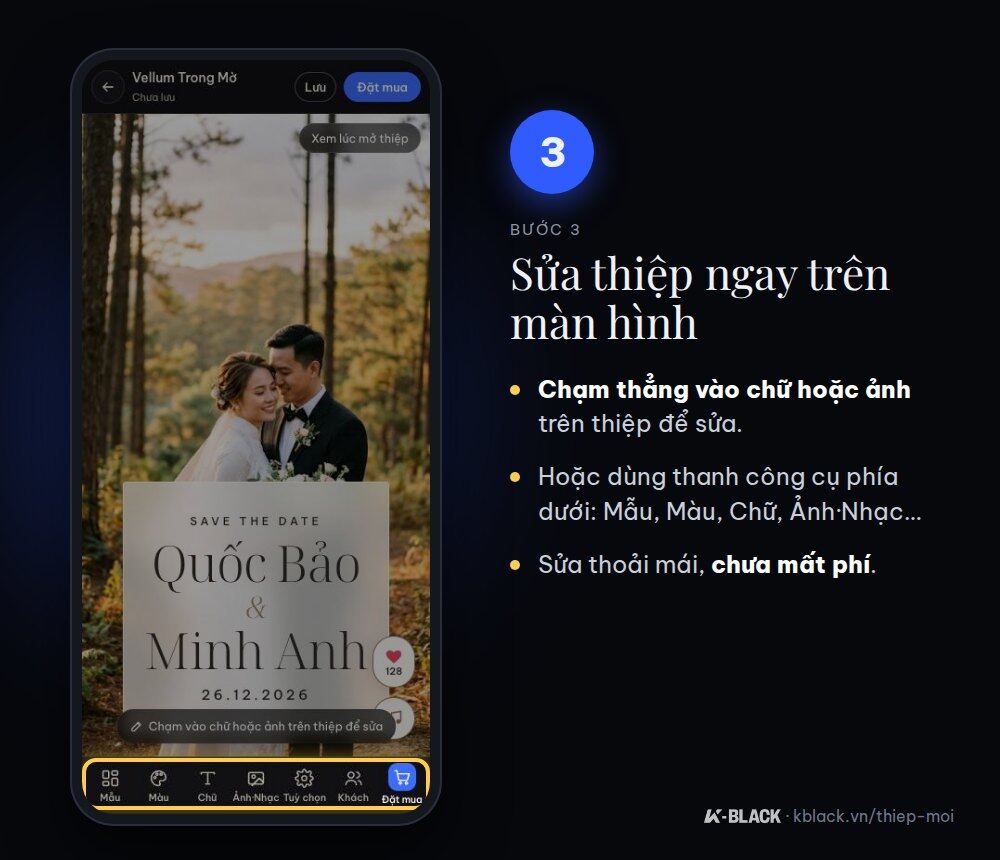
Step 3: Edit your invitation on screen
Tap directly on any text or photo on the invitation to edit it, or use the toolbar at the bottom: Template, Color, Text, Photos·Music, Options, Guests. You don't pay anything at this step.
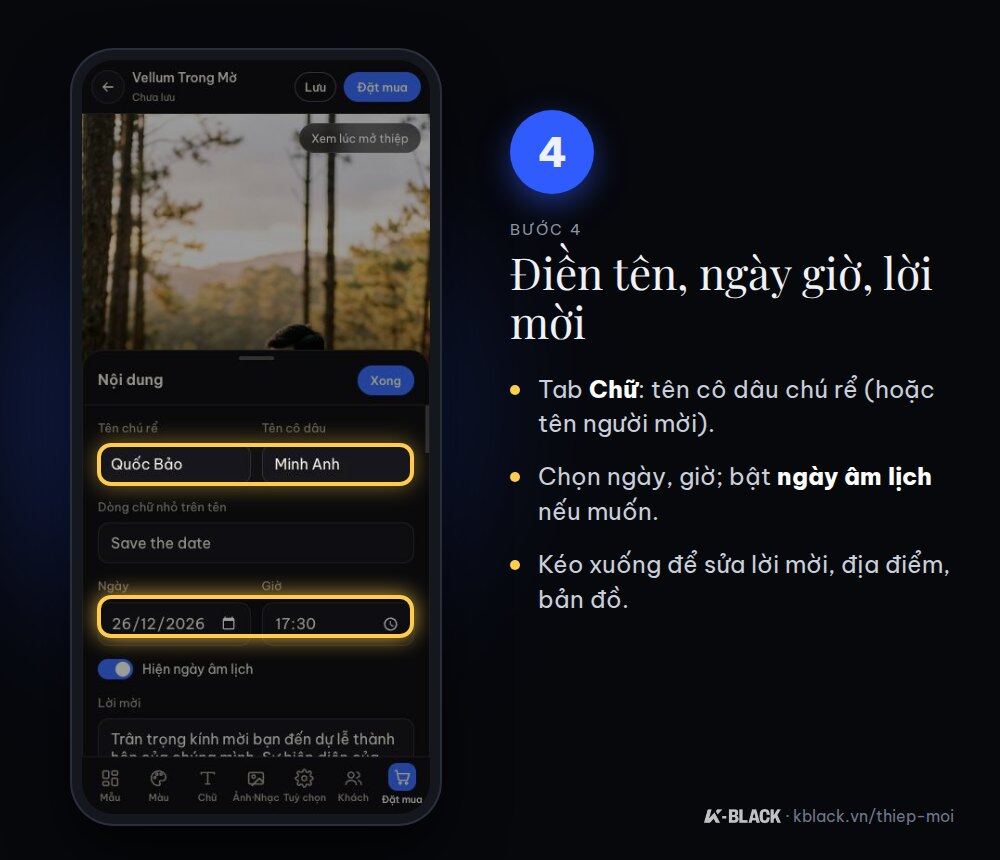
Step 4: Enter names, date, time and your message
Under Text, enter the bride and groom's names (or the host's name), choose the date and time, and turn on the lunar calendar date if you wish. Scroll down to edit the invitation message, venue and directions map.
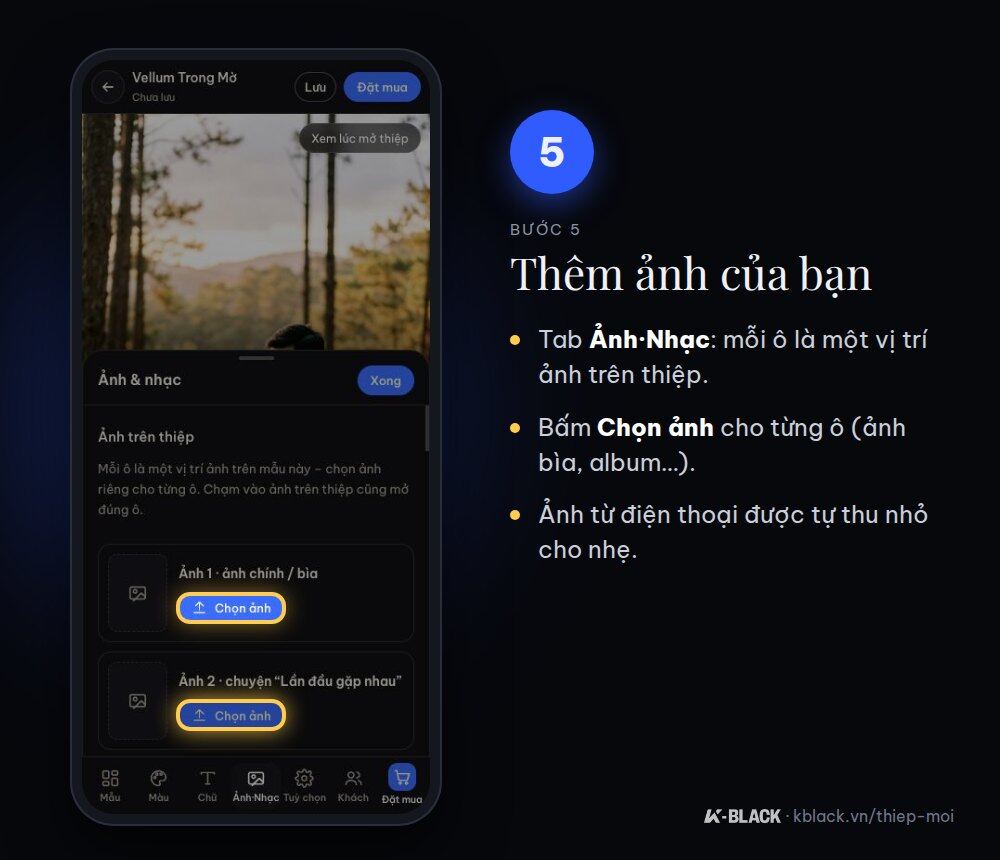
Step 5: Add your photos
Under Photos·Music, each box is a photo position on the invitation (cover photo, story photo, album…). Tap Choose photos for each box. Photos taken on your phone are automatically resized so the invitation loads fast.
Step 6: Choose background music
Scroll down to Background music, tap ► to preview and tap Select to add it to your invitation. The music plays automatically when guests open the invitation.
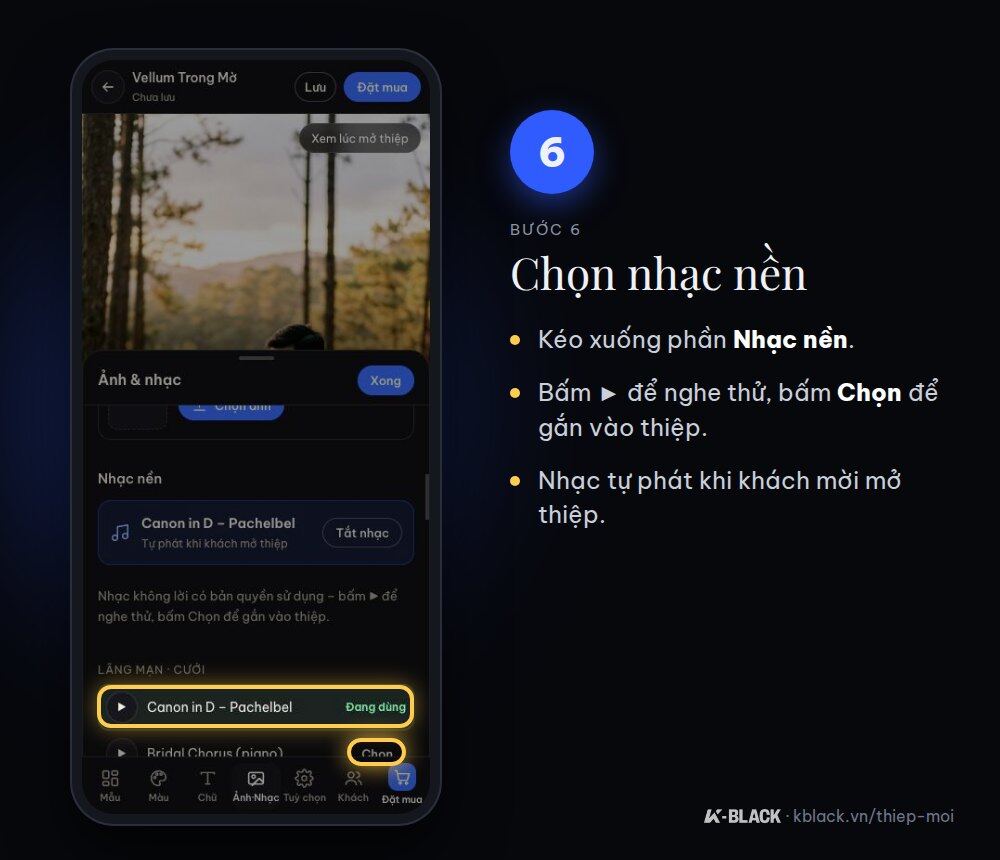
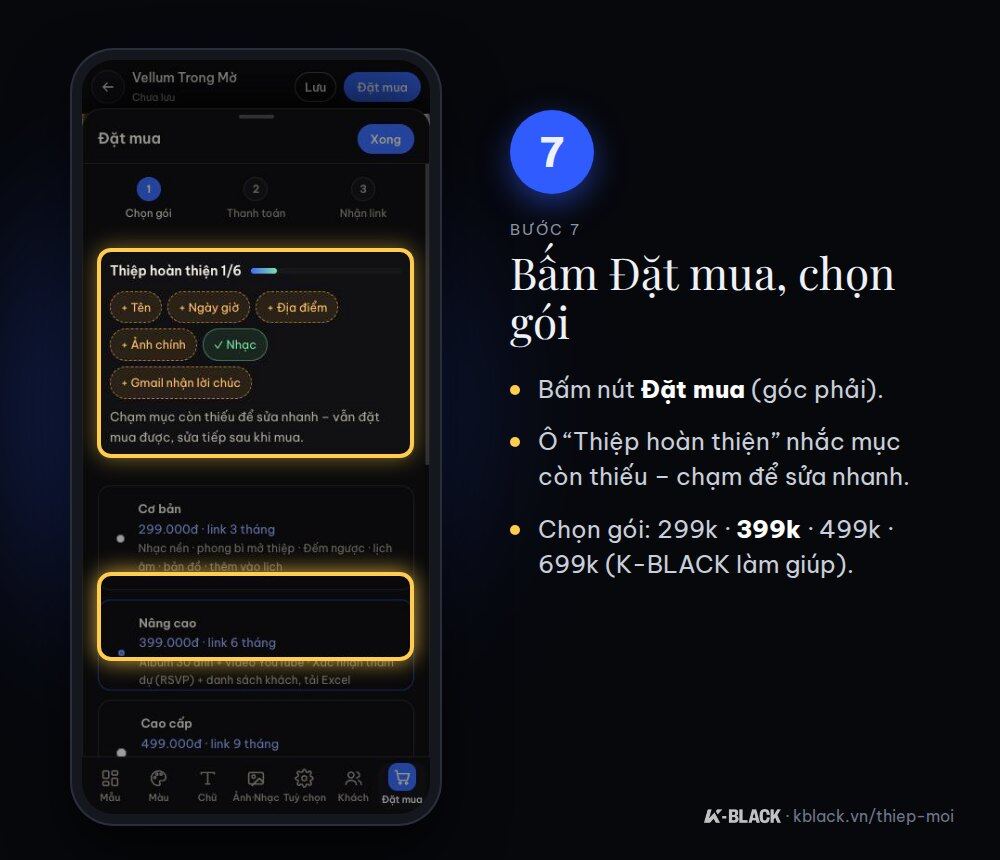
Step 7: Tap Order and choose a package
Tap Order. The “Invitation complete” box shows anything still missing; tap it for a quick fix. Then choose a package:
| Package | Price | Link valid for | Highlights |
|---|---|---|---|
| Basic | 99,000 VND | 3 months | Background music, opening envelope, countdown, lunar calendar, map |
| Advanced | 199,000 VND | 6 months | 30-photo album, YouTube video, RSVP, guest list |
| Premium | 399,000 VND | 9 months | 60-photo album, 9:16 invitation video with music for Stories/Reels |
| Done-for-you by K-BLACK | 699,000 VND | 9 months | K-BLACK builds and finishes 100% of the invitation for you |
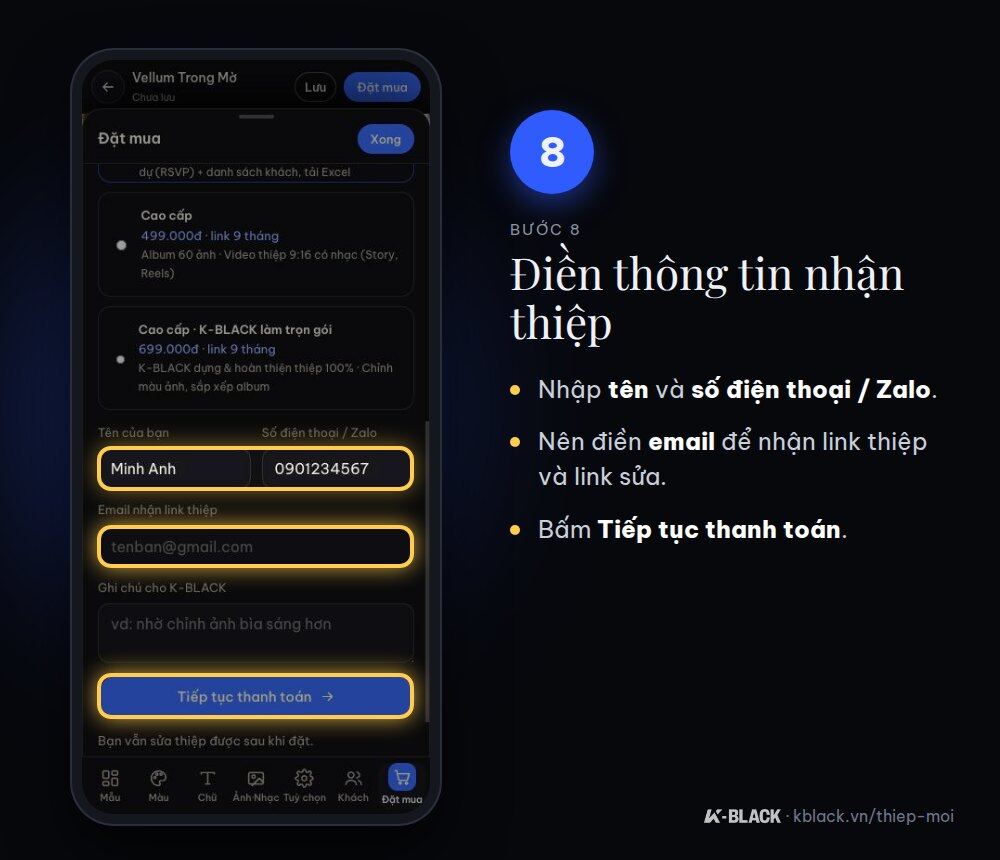
Step 8: Enter your delivery details
Enter your name and phone number / Zalo. We recommend adding email to receive your invitation link and edit link, in case you change phones. Tap Continue to payment.
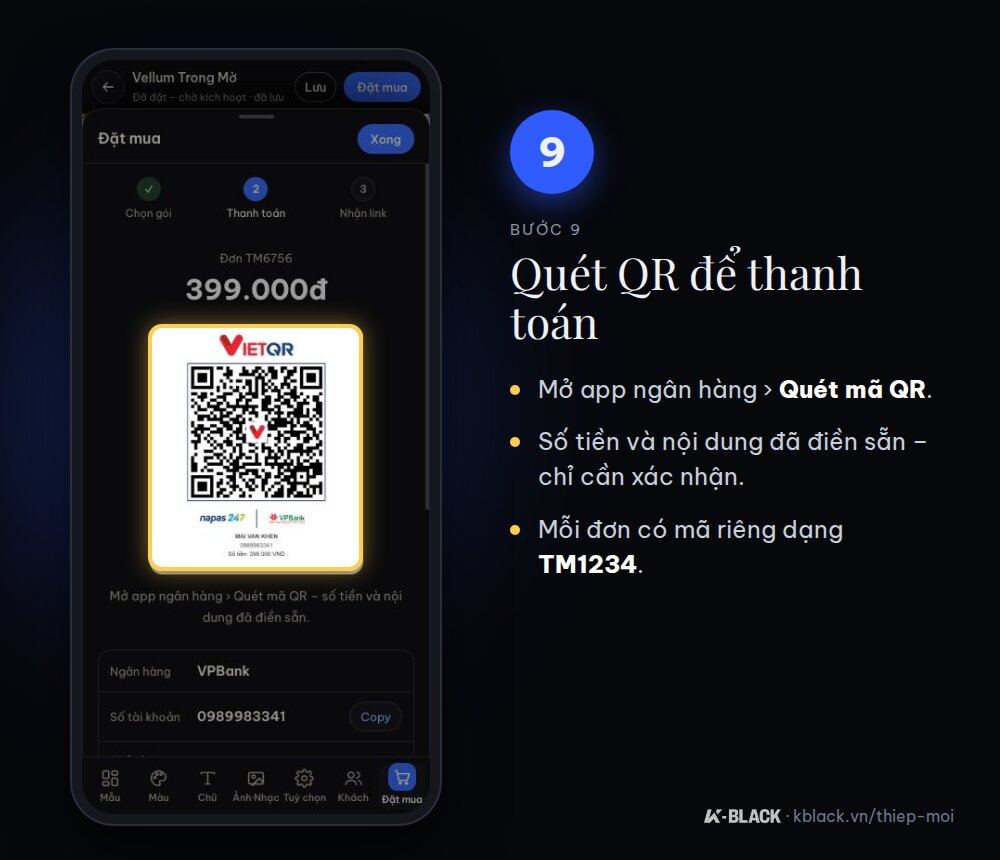
Step 9: Scan the QR code to pay
Open your banking app and choose Scan QR code. The amount and transfer description (an order code like TM1234) are pre-filled; just confirm. If you transfer manually, be sure to enter the correct order code in the description.
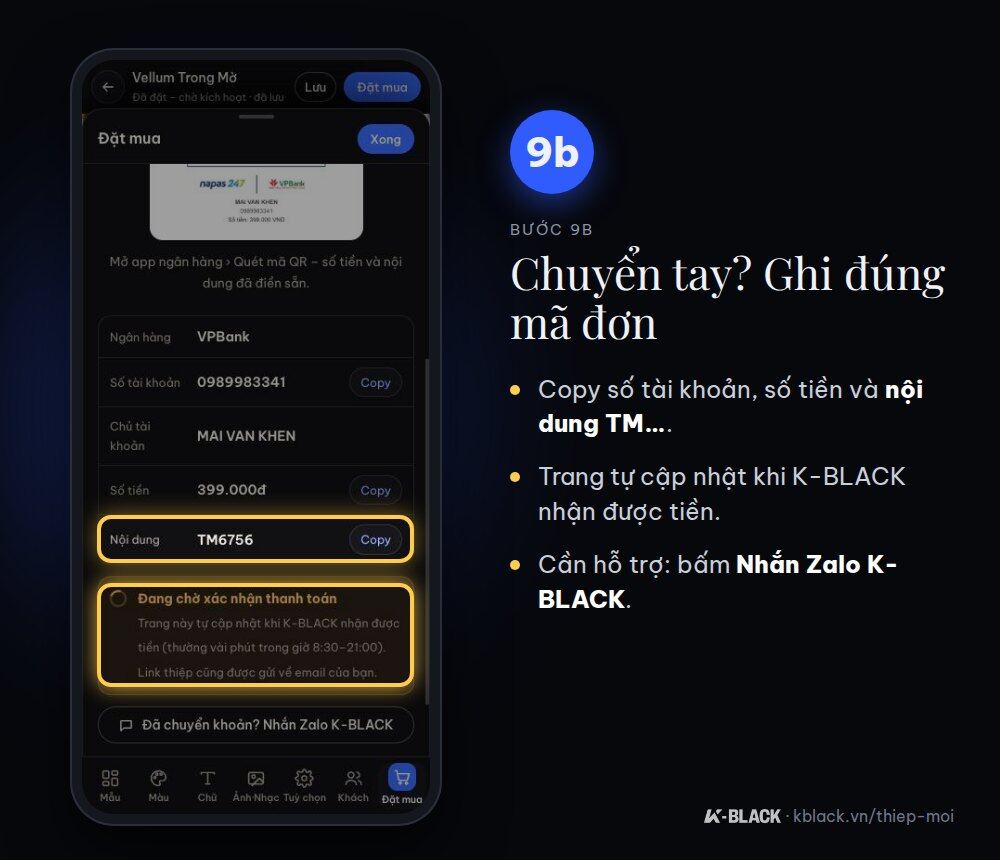
Step 10: Get your link and send it to guests
Once K-BLACK receives payment, your invitation activates automatically, usually within a few minutes between 8:30–21:00. The payment page switches to this screen on its own, no need to reload. The screen shows your invitation link: tap Copy or Send via Zalo. You can create personalized links for each guest (“Dear Mr. Nam, you're invited”) under Guests.
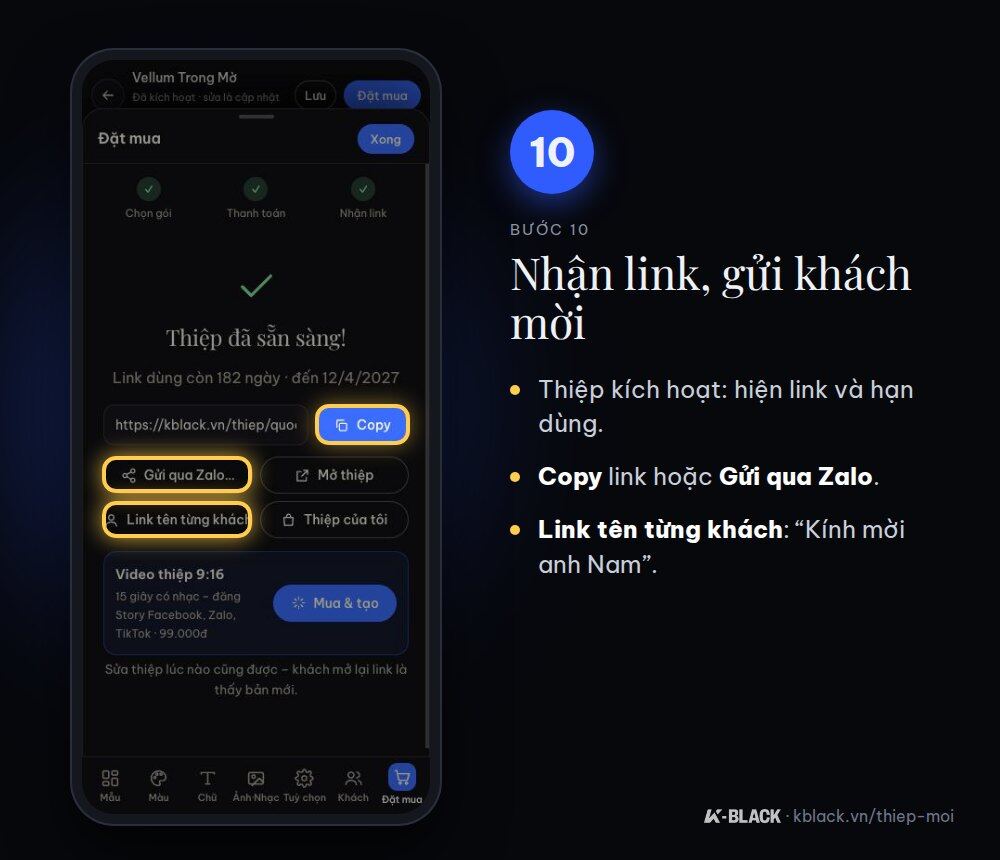
Step 11: Edit after purchase, restore on a new device
Go to My Invitations to reopen invitations you've created. On another device, tap restore and enter the TM order code + phone number used for your order.
FAQ
Paid but the invitation hasn't opened?
It usually takes just a few minutes between 8:30–21:00 (longer outside these hours). If it still hasn't opened after 30 minutes during these hours, check that the transfer description includes the correct TM order code, then message us on Zalo at 0367 277 935 with a screenshot of the transaction so K-BLACK can activate it for you.
Do guests need to install an app?
No. Guests tap the link in Zalo, Messenger or a text message and the invitation opens right in their browser.
Can I edit it after buying?
Yes. You can edit as many times as you like while the link is valid; guests who reopen the link will see the new version.
Not comfortable with technology?
Choose a package 699,000 VND: send your photos and details via Zalo and K-BLACK will take care of everything for you.